When a Spreadsheet Stops Being Enough
Published · Sebastian
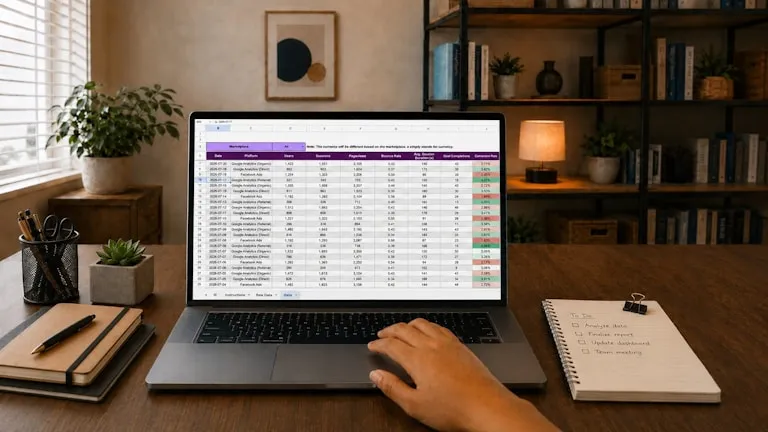
Almost every business we work with has one. A spreadsheet that started as a quick way to keep track of something and quietly became the place where the business actually lives. Jobs, bookings, stock, customers, who owes what. It has columns nobody remembers adding and a tab called “temp” that has been there for four years.
This is not a piece about how spreadsheets are bad. They are remarkable, and if one is running your business well then the correct advice is to leave it alone. Replacing something that works is an expensive way to feel modern.
It is a piece about the point where it stops working, which tends to arrive gradually and then all at once. Here is how to recognise it, what the realistic options are, and how to avoid spending money on the wrong one.
Why it got there in the first place
A spreadsheet asks nothing of you. No setup, no monthly fee, no training, no supplier. You can change it at nine on a Sunday evening because a customer asked for something unusual. Every piece of software you might replace it with is worse at exactly that.
That flexibility is the whole point, and it is also the reason the thing grows. Each individual addition is sensible. It is only in aggregate, some years later, that you end up with a file that three people are frightened of.
The signs it has stopped working
None of these on its own is a crisis. Two or three together usually means the spreadsheet has become the constraint rather than the tool.
Only one person really understands it
There is someone who knows why the formula in column M has to stay exactly as it is. If that person is on holiday, or leaves, the business slows down. This is the sign that matters most, and the one owners are most inclined to tolerate because the person in question is usually them.
You are the search function
Customers ring up to ask something the spreadsheet already knows - where their order is, what they were quoted, when their service is due - and somebody has to stop what they are doing and look it up. If that happens several times a day, you are employing people to read a file aloud.
The same information is typed in more than once
An enquiry arrives by email. Someone copies it into the spreadsheet, then into the accounts package, then possibly into a calendar. Every copy is a chance to introduce a mistake, and every mistake is found later by a customer rather than by you.
Two people cannot safely work on it at once
If your team has developed a protocol for who is allowed to have the file open, or if there are versions with names ending in words like “final” and “new”, that is a workaround for a problem the software is not going to solve.
It has quietly become a risk
One file, on one machine, with your customer list in it, and a backup arrangement nobody has tested. It is worth asking what actually happens if that laptop is stolen - both practically and, if it holds personal data, in terms of your obligations under data protection law.
The three realistic options
People tend to assume the choice is spreadsheet or bespoke system. There are three, and the middle one is the most commonly overlooked.
Buy something off the shelf
For genuinely standard problems, existing software is very hard to beat. Accounts, payroll, email marketing, most booking situations - somebody has already solved these properly and will sell you the answer for a monthly fee that is less than a day of anyone’s time.
We say this often enough that it is worth stating plainly: if an existing product fits, buy the product. The honest test is whether you would be changing how you work to suit the software in ways that cost you something real. If not, it fits.
Connect what you already have
Often the problem is not that you lack software. It is that you have four pieces of it and they do not talk to each other, so a person is acting as the connection between them. That person is expensive, slower than a computer, and occasionally mistypes a postcode.
Integration work is unglamorous and frequently the best value available. Nothing is replaced. The enquiry from your website simply arrives in the system where it is needed, already filled in, without anyone retyping it.
Build the part that is genuinely yours
The case for building something is not that it will be cheaper than a subscription. It is that some part of how you work is specific to you, and it is often the part your customers notice. A survey process nobody else runs the same way. A booking rule that reflects how your site actually operates. A portal where customers see their own documents and stop ringing to ask for them.
You do not need to build everything. In most projects the right answer is a small custom piece sitting alongside off-the-shelf tools, with the integration work making them behave as one thing. That is most of what we do - booking and enquiry workflows, client portals, and integrations - and it is usually a fraction of the size people expect.
How to think about what it costs
We will not put a number on this page, because anyone who quotes a figure before understanding the problem is guessing. But you can size it yourself, roughly, before you speak to anyone.
Take the task that annoys you most. Estimate honestly how many hours a week it consumes across everyone who touches it, including the time spent correcting the errors it causes. Multiply by what that time costs you. That figure, annually, is what you are currently paying for the problem - and it is the number worth comparing any quote against.
One thing genuinely has changed in the last couple of years, and this is an observation from building these systems rather than a statistic: the work of putting together a small, well-defined internal tool has become meaningfully quicker than it was. That has moved the line. Jobs that were not worth building five years ago sometimes are now. It has not made the hard parts - understanding your process, getting the data right, handling the awkward exceptions - any faster, and those were always the bulk of it.
Start with one thing, not the whole system
The projects that go wrong are the ones that begin with “let us replace everything”. They take a year, the requirements change halfway, and the old spreadsheet is still in use because nobody dared switch off.
The ones that work start with a single irritation. One portal where customers can find their own paperwork. One connection so enquiries stop being retyped. Get that live, let people use it for a month, and decide what is next based on what you learn. Our approach to running a project is built around exactly that, and you can see how it played out for a Penrith consultancy in our BPW Fire Safety case study.
Common questions
Is there anything actually wrong with running a business on a spreadsheet?
No. If it works, leave it. Spreadsheets are flexible, free and immediate, and replacing something that is doing its job well is an expensive way to feel modern. The question is not whether a spreadsheet is respectable, it is whether yours has become the thing slowing you down - usually visible when only one person understands it, when the same information is typed in twice, or when staff spend the day looking things up on customers' behalf.
Should I buy existing software or have something built?
Buy, if something fits. Accounts, payroll, email marketing and most standard booking situations are solved problems and the products are excellent value. The honest test is whether using the product would force you to change how you work in ways that cost you something real. Building makes sense for the part of your process that is genuinely specific to you, and that is usually a smaller piece than people expect.
How much does a custom system cost?
It depends entirely on the problem, and anyone quoting before understanding it is guessing. You can size it yourself first: work out how many hours a week the task consumes across everyone involved, including time spent fixing the mistakes it causes, and multiply by what that time costs. That annual figure is what the problem is already costing you, and it is the number any quote should be measured against.
Do I have to replace everything at once?
You should not. Projects that begin with replacing everything tend to run long, drift as requirements change, and finish with the old spreadsheet still quietly in use. Start with one irritation - a portal so customers can find their own documents, or a connection so enquiries stop being retyped. Get it live, let people use it, then decide what is next based on what you learn.
What if my systems cannot talk to each other?
That is one of the most common situations and often the cheapest to fix, because nothing needs replacing. If a person is currently acting as the bridge between two pieces of software - copying enquiries, orders or figures from one to the other - that bridge can usually be automated. It is unglamorous work and frequently the best value available.
If you recognise your own spreadsheet in this
We are based in Penrith and build this kind of thing for businesses across Cumbria - not just websites, but the systems sitting behind them. If you want to talk it through, the useful first conversation is about the task that annoys you, not about technology. Often the answer turns out to be smaller than expected, and occasionally it is that you should buy something off the shelf and we will tell you so.
You can see the range of work we take on, or read about how we work with businesses across Cumbria.
This article was written in September 2026 and reflects our own experience of building these systems rather than published research. Your circumstances will differ - particularly around data protection obligations, where it is worth taking advice specific to your business.